How to automate customer support: a 6-step guide for B2B SaaS teams
 13 minutes
 26.06.2026
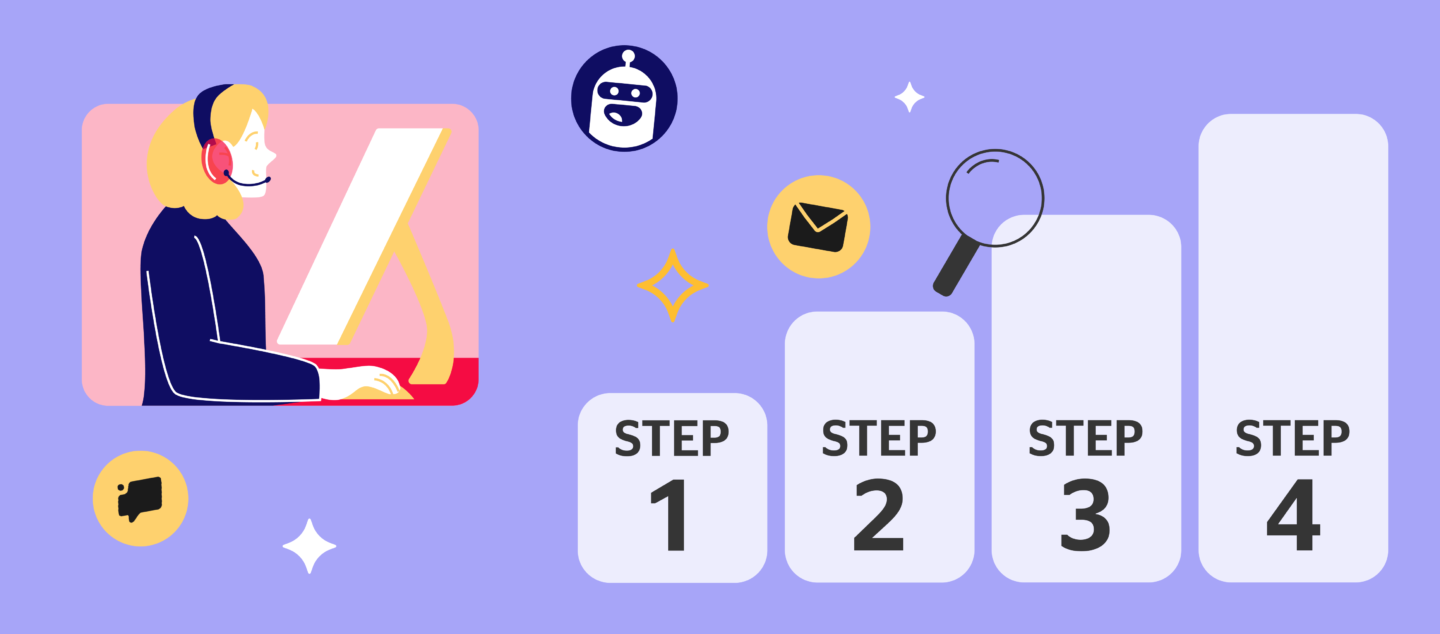
Here is how to automate customer support in six steps: audit your tickets, build a knowledge base, add an AI agent, automate workflows, add proactive messages, and measure. Support volume keeps growing while headcount stays flat, so teams that don’t automate customer support end up with slower replies, lower CSAT, and agents who answer the same questions all day.
If you need the basics first, our guide to customer support automation explains what it is and which types exist. Below: how to automate customer service step by step in a B2B SaaS team, what to keep human, which tools to consider, and how to measure the result.
Automation comes in three levels, and each needs a different toolset:
- Level 1: Rule-based bots. Also called scripted customer service chatbots, they follow fixed decision trees, answer predefined questions, and break outside the script.
- Level 2: Workflow automation. Auto-assign tickets, trigger email replies, apply tags, and route by topic. No natural language understanding; it cuts agent time per ticket without answering for them.
- Level 3: AI agents. Understand questions written in the customer’s own words, answer from a knowledge base, and hand the conversation to a person with full context when they can’t answer.
Benefits of automating customer support
Customer service automation benefits come down to three things: faster first responses, fewer repeat questions reaching human agents, and coverage at any hour without extra headcount.
An AI agent answers repeat questions in seconds, so customers don’t wait in the queue for something the knowledge base already covers. At BizBots, first response time dropped by 21% after the AI support agent took the first line (case study).
Ticket volume grows with the customer base, and customers still expect fast answers. Automation lets a small team handle both without burning out its human agents. At BizBots, questions reaching human agents fell from 10,000 to 6,000.
24/7 coverage without 24/7 headcount. An AI agent handles queries in real time, outside business hours, across time zones, at whatever volume the queue demands. The alternative is shift work or missed tickets. Neither is sustainable for a lean SaaS team.
What to automate, and what to keep human
Automate routine customer service tasks where the answer is the same every time: FAQs, order and account status, billing questions, password resets, and Tier-1 troubleshooting with known fixes. Keep humans for high-stakes interactions: churn signals, refund disputes, VIP accounts, and cases where a wrong answer creates contractual risk.
The biggest mistake teams make is trying to automate everything at once. The second biggest is automating the wrong things. Before choosing a tool or building a workflow, map your ticket types into two buckets: safe to automate, and keep human.
| Automate | Keep human |
|---|---|
| Routine FAQs (hours, pricing, features) | High-stakes complaints and refund disputes |
| Order and account status queries | Churn risk signals (frustration, cancellation intent) |
| Onboarding checklist questions | Complex technical issues with multiple dependencies |
| Password resets and access issues | VIP accounts and high-contract-value customers |
| Billing FAQ (invoice format, payment methods) | Emotionally charged interactions |
| Tier-1 troubleshooting with known fixes | Any issue where a wrong answer creates legal or contractual risk |
A useful rule: if the answer is the same every time and a wrong answer costs nothing, automate it. If a wrong answer costs a customer or damages the relationship, keep a human in the loop.
Write these rules down as escalation triggers: refund or dispute language, cancellation intent, a VIP account, or a question the knowledge base can’t answer. Dashly’s AI support agent applies the last rule by default: when the answer isn’t in the knowledge base, it hands the conversation to a human agent with full context.
How to automate customer support in 6 steps
To automate customer support, follow six steps in sequence: audit your ticket categories, build a self-service knowledge base, add an AI agent to live chat, automate email and ticket workflows, add proactive messaging, then measure and optimize. Skip Step 1, and every downstream decision is a guess.
Step 1: Audit your ticket categories
Pull your last 30 days of tickets. Categorize the top 10 query types by volume. You are looking for three clusters: questions with a single correct answer (automate immediately), questions that vary by account (automate with personalization), and questions that require judgment (keep human for now).
Start with the first cluster of customer service tasks to automate, and you see results in Week 1 instead of running a six-month project.
Step 2: Build a self-service knowledge base
Before adding any AI, give customers a self-service portal where they can find answers independently. Write articles for the top five query types from your audit. Keep each article to one problem, one fix, and one outcome.
Connect the knowledge base to your chat widget. An AI agent that cannot pull from a knowledge base is guessing. One that can is resolving.
Step 3: Add an AI agent to live chat (AI customer service automation)
With a knowledge base in place, an AI agent has something to work from. Configure it to handle Tier-1 queries from your audit’s first cluster, and route Tier-2 to a human with the full conversation context passed along. The agent handles the first response. The human picks up from there, already informed.
This step deflects the most tickets. How many depends on knowledge base coverage. Dashly’s AI support agent answers from your knowledge base 24/7, shows the source of each answer, and hands the conversation to a human agent with full context when there is no answer. In the BizBots case, about 40% of chat requests are closed without a human.
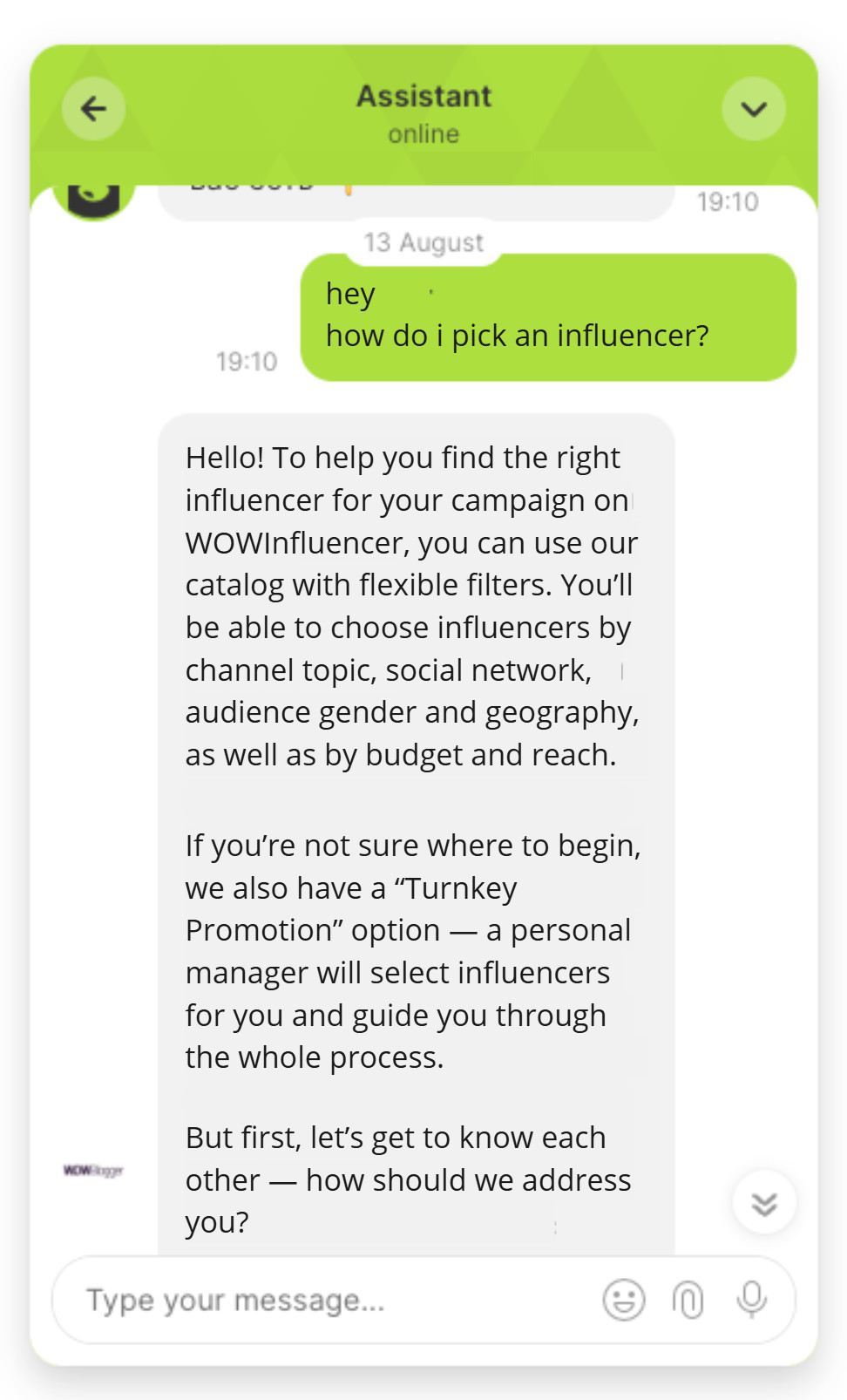
Here’s how the AI agent supports users:
Step 4: Automate email and ticket workflows
Not every interaction starts in chat. Email, form submissions, and in-app reports all create tickets. Automate the triage layer:
- Auto-tag incoming tickets by topic
- Auto-assign by category to the correct agent queue
- Send an acknowledgment with an estimated response time
- Trigger canned responses for the most common query types
Keep routing rules consistent across all channels. A ticket that gets manually re-routed is a ticket that slows down.
Step 5: Add proactive messaging
The best way to manage inbound support volume is to answer questions before they are asked. Proactive messages, triggered by product events, billing milestones, or usage patterns, reduce inbound by surfacing information at the moment the customer needs it, before they open a ticket.
Common triggers: post-signup onboarding, day-three activation check, billing cycle reminders, error events, feature rollout announcements. Each one prevents a ticket. At scale, that is a measurable reduction in queue volume.
Step 6: Measure and optimize
Before you start tracking, document your customer service workflows so you have a baseline. Then track deflection rate, first response time, and CSAT weekly for the first 90 days. To turn the results into a business case, use our guide to customer service automation ROI. The early data tells you which queries the AI is getting wrong, which knowledge-base articles are missing, and where human escalation is happening more than it should.
Best AI tools for customer service automation in 2026
The five customer service automation tools worth evaluating for B2B SaaS in 2026 are Dashly (B2B SaaS support teams), Intercom (mid-market), Zendesk (enterprise), Freshdesk (SMB), and HubSpot Service Hub (CRM-first teams). The right choice depends on team size, current stack, and how far along you are in the six-step automation sequence above.
| Tool | Best for | Standout feature | Limitation |
|---|---|---|---|
| Dashly | B2B SaaS support teams | AI support agent answers from your knowledge base with sources and hands off to human agents with context | Designed for SaaS; less suited for e-commerce or call-center environments |
| Intercom | Mid-market SaaS | Fin AI with strong knowledge-base integration and an intuitive workflow builder | Pricing scales steeply; expensive for teams handling high volume |
| Zendesk | Enterprise support teams | Deep ticketing infrastructure plus AI Copilot for agent assist | Complex setup; overkill for teams under 20 agents |
| Freshdesk | SMB teams on a budget | Affordable omnichannel coverage with solid automation rules | AI agent priced per session after the included volume |
| HubSpot Service Hub | CRM-first teams already in HubSpot | Unified customer data across marketing, sales, and support | Automation features are basic compared to dedicated CS tools |
For 12 tools with features and current pricing, see our list of the best customer service automation software; for AI agents specifically, see the best AI customer support tools.
Examples of customer service automation in B2B SaaS
The first and third are typical setups; the second is a real case with published numbers.
Example 1: Onboarding support
Problem. A SaaS team sees a large share of its weekly tickets asking the same setup questions: “How do I connect X integration?”, “Where do I find the API key?”, “Why is the import not working?” Human agents spend two hours a day on answers that have not changed in six months.
Mechanism. The team builds five knowledge-base articles covering the top setup questions, connects them to a chat AI agent, and sets a trigger: any ticket tagged “onboarding” routes to the AI first. The agent retrieves the relevant article, confirms resolution, and closes the ticket if the customer confirms it helped.
Outcome. Fewer onboarding tickets reach agents, and they redirect that time to activation calls, which affect retention.
Example 2: BizBots automates payment and document questions
Problem. BizBots, a marketing automation platform, had human agents answering the same questions about payments and closing documents every day, and planned to hire two more support agents to keep up.
Mechanism. The team put Dashly’s AI support agent on the first line of website chat and started with payment and document questions. When the agent gave wrong answers, the team rewrote the knowledge base articles behind them. Questions the knowledge base couldn’t answer went to a human agent with the full conversation.
Outcome. About 40% of chat requests are now closed without a human, wrong answers fell from almost 50% to about 2.5% on 4,000 questions, and questions reaching human agents dropped from 10,000 to 6,000. The team didn’t hire the two planned agents. Read the full BizBots case study.
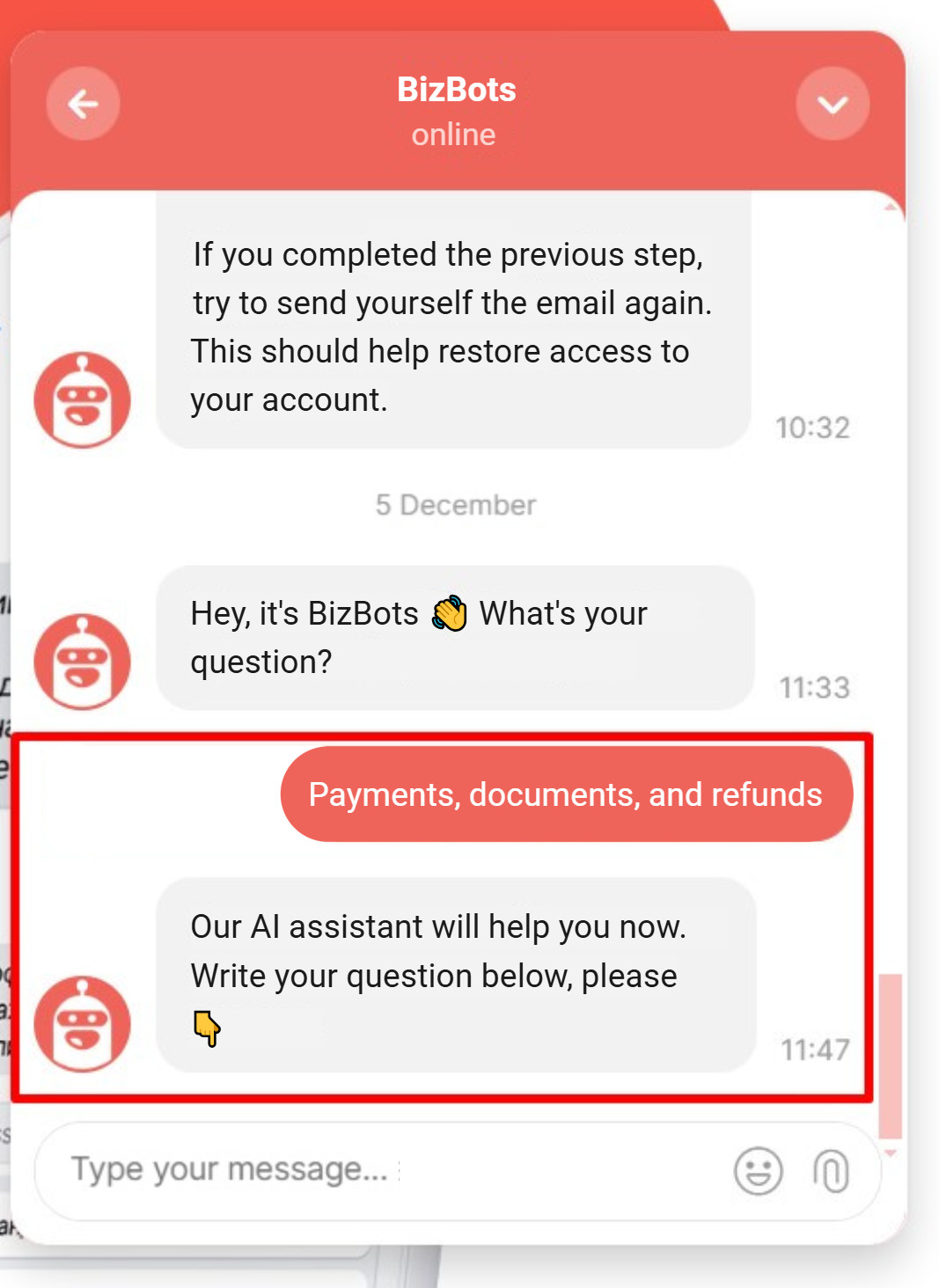
Here’s an AI agent handling specific FAQs related to payments and docs:
Example 3: Intelligent escalation routing
Problem. A five-person CS team manually reads every ticket to decide which human agent handles it. Misrouted tickets get bounced two or three times before reaching the right person. Each bounce adds time to resolution.
Mechanism. Workflow automation tags each incoming ticket by topic (technical, billing, onboarding, account management) and assigns it to the correct agent queue automatically. The AI agent handles Tier-1 within each category before the ticket reaches a human, and passes the full conversation and category when escalation is needed.
Outcome. Tickets reach the right person on the first try. The team handles the same volume with fewer escalations and less context-switching between human agents.
For more use cases across industries, see these automated customer service examples.
5 metrics to track after automating customer service
Track five metrics after automating customer service: deflection rate, first response time, resolution time and rate, CSAT, and the trend in Tier-1 tickets reaching humans. Set targets from your own baseline.
- Deflection rate. Percentage of tickets resolved by automation without human involvement. Set your target from your audit: the share of tickets with a single correct answer is the ceiling. If deflection stays low after the first month, the knowledge base needs more coverage.
- First response time (FRT). Time from ticket creation to first substantive response. Benchmark: under five minutes for automated responses, under four hours for human escalations. Rising FRT on escalated tickets usually means routing rules are too broad.
- Resolution time and resolution rate. Time from ticket creation to confirmed resolution, and the share of tickets resolved without being reopened. If neither metric is improving, the AI is deflecting but not resolving. Check whether knowledge-base answers are complete.
- CSAT. Customer satisfaction score, post-resolution. Watch for drops in the first 30 days. A noticeable CSAT decline usually means customers are hitting the AI when they need a human. Review your escalation triggers.
- Tier-1 ticket volume trend. Month-over-month change in Tier-1 tickets reaching a human agent. Flat volume with a rising deflection rate means automation is working but new ticket types are entering the queue at the same rate.
For a deeper look at which metrics to prioritize by team size and maturity stage, see the guide to customer service KPIs for B2B SaaS teams.
Conclusion
Customer service automation works when it starts with the right input: a clear ticket audit, a knowledge base that covers the top query types, and an escalation model that keeps humans in the loop for decisions that matter.
The six steps in this guide are a sequence, not a menu. They form a customer service strategy that compounds: Step 1 (audit) feeds every downstream decision. Steps 2 and 3 (knowledge base plus AI agent) deliver the biggest deflection gains. Steps 4 and 5 (workflows plus proactive messaging) compound those gains over time. Step 6 (measurement) tells you whether the system is working or needs adjustment.
Results show up fastest when the knowledge base covers the top questions before the AI agent goes live. The teams that don’t see results usually skipped the audit.
Ready to see what the six-step process looks like with your actual support queue?
FAQ
Follow six steps: audit your ticket categories, build a self-service knowledge base, add an AI agent to live chat, automate email and ticket workflows, add proactive messages, then measure deflection, first response time, and CSAT and adjust. Start with the questions that have one correct answer.
The main benefits are faster first responses, fewer repeat questions reaching human agents, 24/7 coverage without added headcount, consistent answers, and a lower cost per resolved ticket. At BizBots, questions reaching human agents fell from 10,000 to 6,000 after an AI support agent took the first line.
Common examples include AI agents answering FAQ questions in live chat, automated ticket routing by topic, self-service knowledge bases, proactive onboarding messages, and payment question automation. See the full list of automated customer service examples.
Pros: faster response times, lower cost per ticket, 24/7 availability, and consistent answers to routine queries. Cons: rule-based bots fail outside their script, poorly configured AI frustrates customers on complex issues, and the system requires ongoing knowledge-base maintenance. The fix is a tiered model: automate Tier-1, keep humans for Tier-2 and above.
It depends on team size and stack. For B2B SaaS support teams, Dashly’s AI support agent answers from your knowledge base and hands off to human agents with context. Intercom Fin suits mid-market teams that want a workflow builder, and Zendesk suits enterprise ticketing. Compare them in our list of the best customer service automation software.
Rule-based chatbots follow a fixed decision tree. They answer predefined questions and fail outside their script. AI agents understand questions in the customer’s own words, answer from a knowledge base, and hand the conversation to a person with full context when they can’t answer, so they also answer questions the script never anticipated.
Workflow rules and canned replies can go live quickly. An AI agent learns from your help center in minutes, but plan time to test it on real questions and fix the articles behind wrong answers before launch. Launch after the knowledge base covers your top questions.