Customer service workflows: Complete guide for B2B SaaS in 2026
 13 minutes
 25.06.2026
Support ticket volume keeps growing. Most B2B SaaS teams handle this by hiring more agents, building tribal knowledge, and hoping consistency follows. It does not.
The teams that scale without burning out their support function have one thing in common: they run documented customer service workflows. Every step in the customer journey through support follows a path, each handoff has an owner, and no edge case goes undocumented.
This guide covers what customer service workflows are, the five types that matter most for B2B SaaS teams, how to build them step by step, and how AI agents are changing what your team needs to handle manually.
What is a customer service workflow?
Customer service workflow is a defined sequence of steps (trigger, triage, routing, action, resolution, and feedback) that moves every customer request from intake to close in a consistent, measurable way. It tells each team member exactly what to do next, who owns the handoff, and when to escalate. Without it, support quality depends on who is online.
Customer service workflow is the structured path a request travels from first contact through the intake workflow (triage and routing) to the moment the issue is confirmed resolved and the feedback loop is closed.
Every workflow has four core components:
- Trigger: what starts the workflow: a chat message, an email, a behavior signal, or an API error
- Triage: classifying the request by type, priority, and the team or tier that should own it
- Action: the steps a human agent or AI takes to resolve the issue
- Feedback loop: a post-resolution check that confirms the issue actually resolved from the customer’s perspective, not just that a reply was sent. CSAT capture happens here. Most teams skip this step, which is why the same failure modes surface again next month.
Without these four, you have ad-hoc support. Agents make judgment calls on priority. Handoffs get dropped. CSAT varies by who picks up the ticket.
| Ad-hoc support | Workflow-driven support | |
|---|---|---|
| First response time | Depends on who is online | Defined by SLA rule |
| Escalation | Person-to-person Slack DM | Triggered by time or tag |
| Deflection rate | 0-5% | 25-40% with self-service |
| CSAT consistency | Variable | Predictable within 5 points |
5 types of customer service workflows
The five most common customer service workflows are ticket routing and triage, escalation management, self-service and knowledge base deflection, customer feedback and follow-up, and proactive support triggered by user behavior. Each type solves a different failure mode in support operations, and most B2B SaaS teams need all five running in parallel.
Ticket routing and triage workflow
Every support request needs an owner. The routing workflow decides who that is before a human has to look at it.
For teams running omnichannel support across chat, email, and in-app channels, the routing workflow ensures every channel feeds a single queue with consistent priority rules.
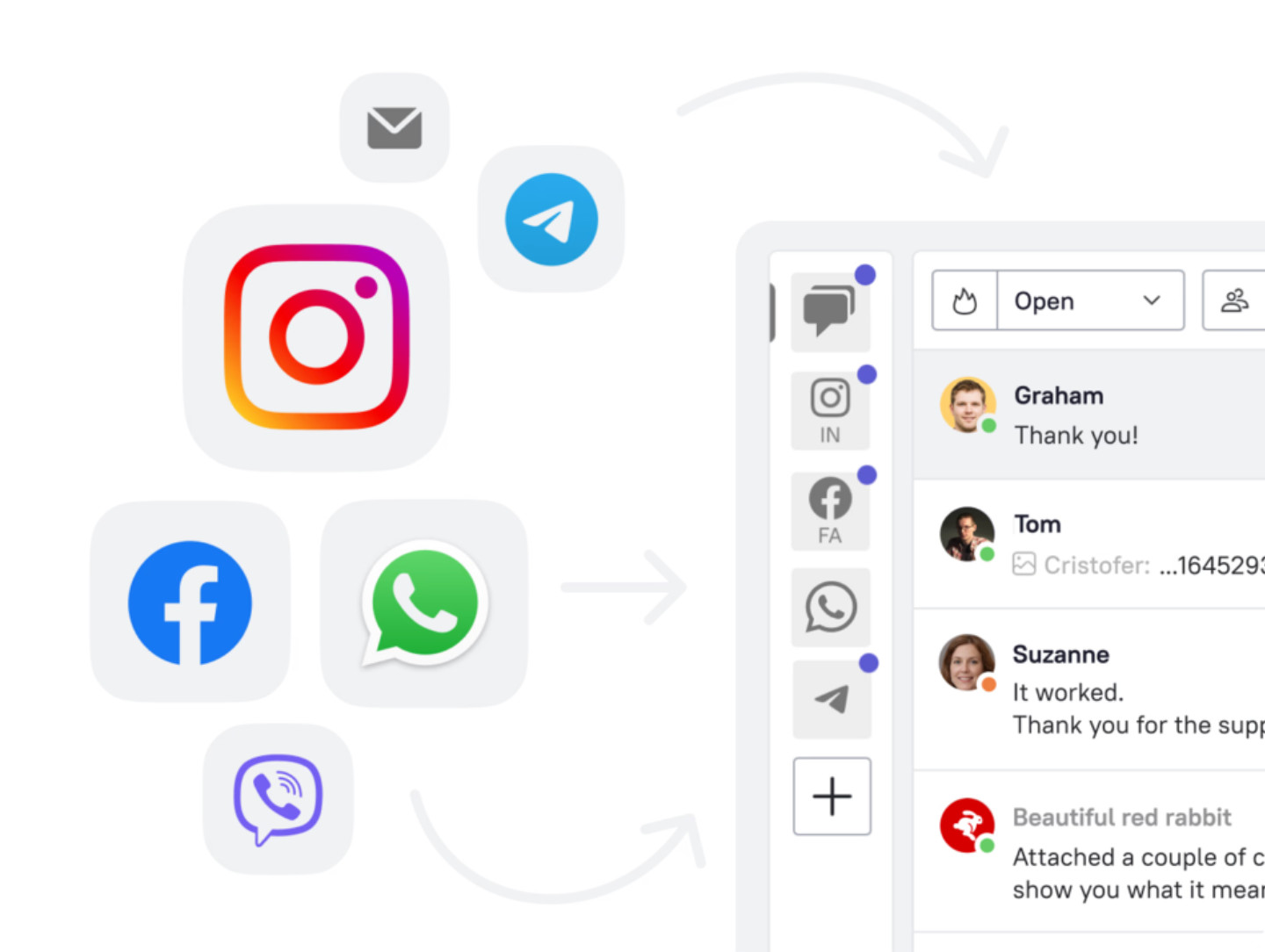
A triage workflow typically runs like this: an inbound request arrives (chat, email, or in-app trigger), intent classification runs (billing question, bug report, feature question, account issue), ticket prioritization rules assign a priority level, and the ticket routes to the right queue or agent.
Well-built routing workflows reduce first response time by up to 52% compared to manual queue management, because agents see only the tickets they are equipped to handle. Key metrics to track: first response time and queue depth by category.
Escalation workflow
A ticket enters Tier 1. The agent cannot resolve it. Without a defined escalation path, the ticket either sits or generates a Slack message that gets buried.
An escalation workflow defines three things: when to escalate (SLA breach, specific tag, or negative sentiment signal), where to escalate (L2 specialist, account manager, or CS Manager), and what to include in the handoff (ticket summary, customer tier, previous interactions).
Most B2B SaaS teams run a two-tier escalation: L1 handles product how-to and billing; L2 handles integrations, bugs, and account-level issues. Manager escalation is reserved for at-risk accounts.
Self-service and knowledge base workflow
The self-service workflow runs before the ticket exists. When a customer types a question, the system routes the query to your self-service portal, surfacing relevant knowledge base articles. If those articles resolve the question, the ticket never gets filed.
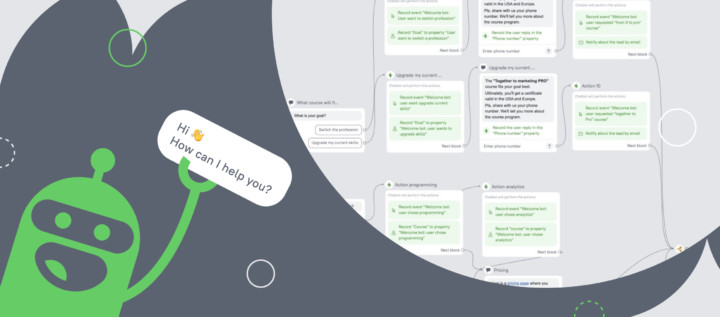
Here’s you can see how Dashly’s AI support agent uses knowledge base articles in the conversation with a user:
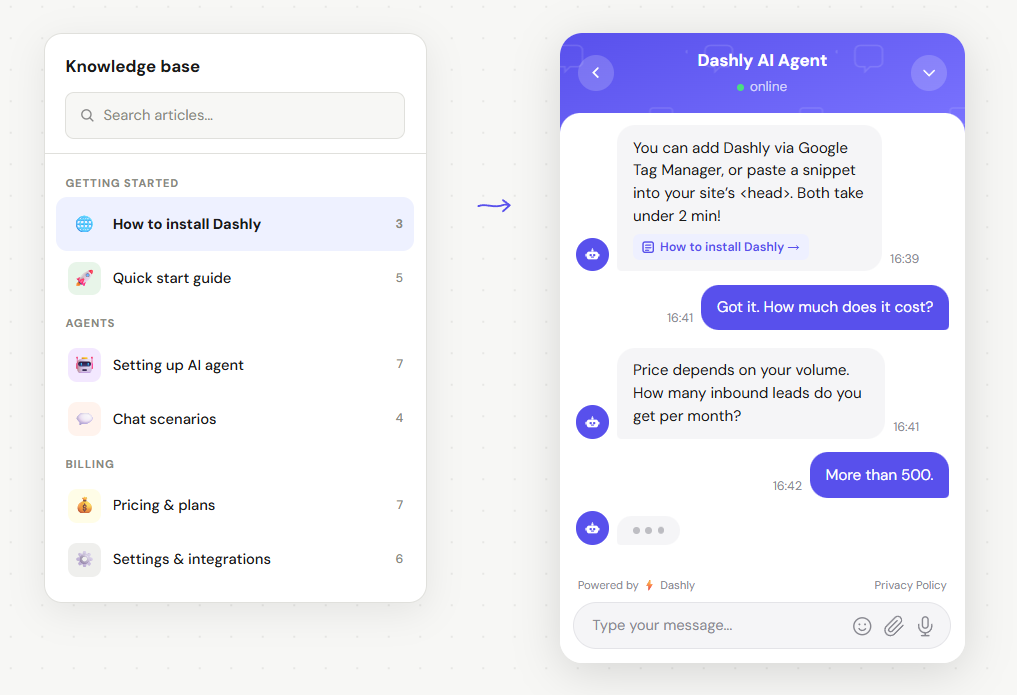
For B2B SaaS teams, a well-maintained knowledge base deflects 40-60% of inbound ticket volume. The workflow is straightforward: query detected, relevant article surfaced, resolution confirmed or ticket opened.
The failure point is almost always the knowledge base itself, not the workflow. Teams that track which queries return no results and fix those gaps every two weeks see deflection rates climb consistently.
Customer feedback and follow-up workflow
Resolution closes the ticket. The feedback workflow captures whether the resolution actually worked.
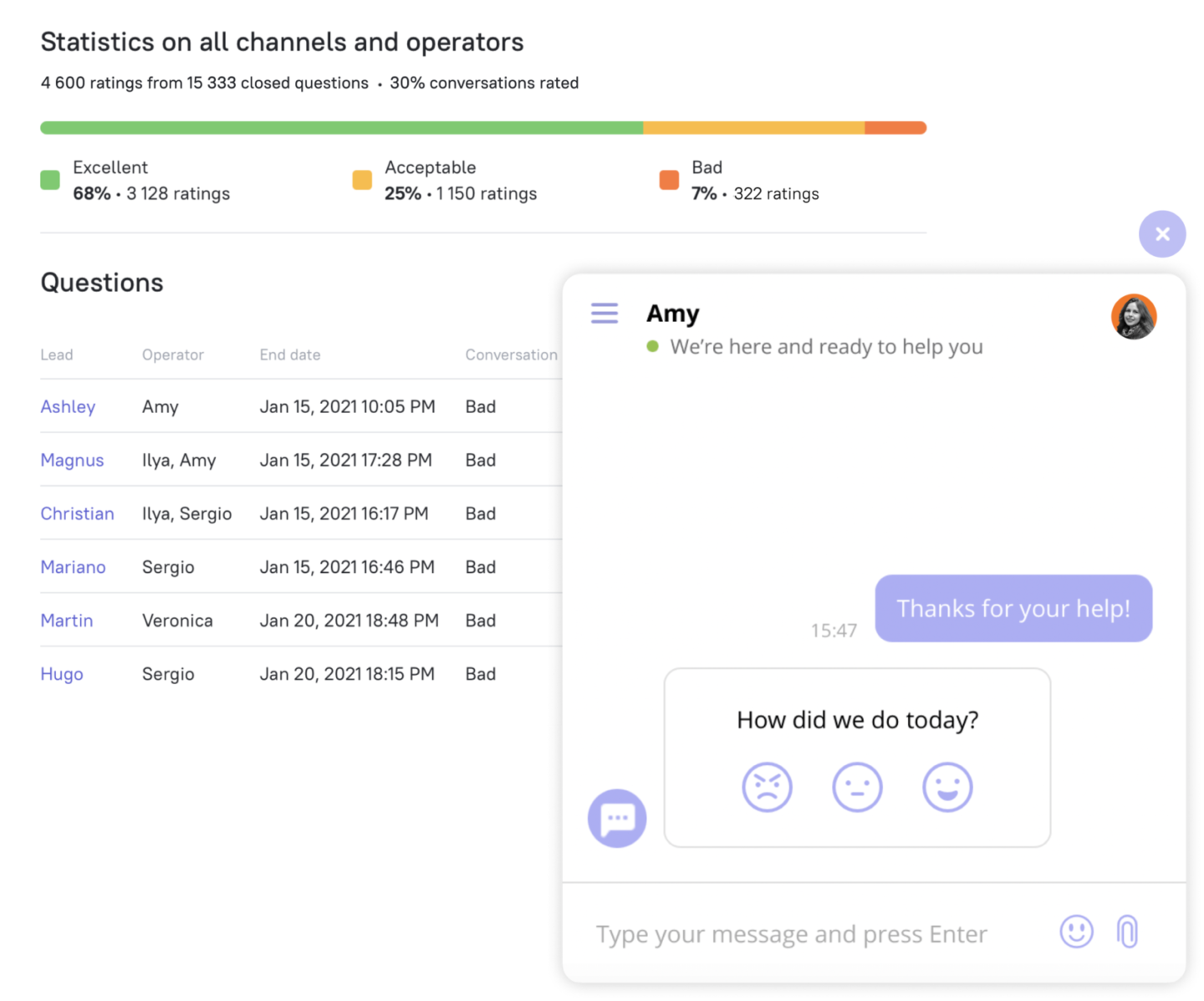
A standard post-resolution sequence: ticket closed, 4-hour delay, CSAT survey sent. If the score is below 4, an alert fires to the team lead. The team lead reviews within 24 hours. This closes the loop on customer perception and surfaces recurring problems before they compound.
For teams tracking NPS at a relationship level, the same trigger logic applies: behavior signal (low feature adoption, no login in 14 days) triggers an automated follow-up, which routes to the CSM if there is no response.
Teams that add CES (Customer Effort Score) alongside CSAT get an earlier churn signal. Effort score measures how much work a customer had to do to reach resolution. It predicts renewal risk more reliably than satisfaction score alone for B2B SaaS accounts.
Proactive support workflow
Reactive support waits for the ticket. Proactive support fires before it arrives.
A proactive workflow triggers on user behavior signals: three consecutive failed logins, no integration connected after day 5 of onboarding, or an API error rate spiking above threshold. The system sends an in-app message or email offering help before the customer reaches frustration.
Proactive workflows deflect a meaningful share of tickets that would otherwise become complaints, which are the most expensive type to resolve. The volume depends on how many triggers you configure and how early in the user journey they fire.
How to build a customer service workflow (5 steps)
The customer service workflow process has five steps: map the current support journey to find where tickets stall, define clear entry triggers and routing rules, set escalation conditions before you need them, automate the repetitive first-line steps, and measure deflection rate and CSAT weekly to iterate.
Step 1: Map your current support journey
Pull the last 200 tickets from your help desk and tag each by request type, resolution tier, resolution time, and whether it escalated. Most teams find that the majority of tickets cluster into a small set of repeating categories, most escalations happen because L1 lacks a decision rule, and CSAT drops cluster around specific ticket types, not individual agents.
This map is the input for every decision in steps 2 through 4.
Step 2: Identify bottlenecks and manual handoffs
Mark every step where a human makes a judgment call that could be a rule. Typical manual steps: deciding whether to escalate, choosing which agent to assign, composing a first reply to a known question. Each of these is a candidate for automation or a documented rule.
Step 3: Define triggers, routing rules, and ownership
For each ticket category from step 1, define the trigger condition, the routing destination (queue, agent tier, or self-service), the expected resolution time, and the escalation threshold. Write this as a decision table, not a prose document. Decision tables are executable; prose documents are not. These become your automation rules: the logic your help desk runs without human input.
Step 4: Set escalation conditions and SLA thresholds
If a ticket is not resolved or acknowledged within X hours, it escalates automatically. X is your SLA. Define it per ticket category, because a billing error has a different SLA than a feature question. Most B2B SaaS teams use 2 hours for account-level issues, 8 hours for feature questions, and 1 business day for low-priority requests.
Step 5: Automate the first-line steps with an AI agent
This is the step where effort pays off most. Dashly’s AI Support Agent handles first-line triage and routing automatically, classifying intent, routing to the right queue, and resolving routine requests without a human agent. In Dashly’s BizBots case study, the AI Support Agent resolved 40% of tickets without human involvement. Customer satisfaction improved, since users got answers faster, including outside business hours.
The agent is the execution layer for the workflow you already have.
Customer service workflow examples (real B2B SaaS scenarios)
Effective customer service workflows in B2B SaaS share three traits: they start at the intent layer before the ticket is filed, they route by complexity rather than arrival order, and they close the feedback loop automatically. For more automated customer service examples across industries, see our dedicated post on automated support.
SaaS onboarding support workflow
A new user signs up. The onboarding workflow triggers: welcome message sent, milestone check on day 3 (did they connect the first integration?). If not, a proactive in-app message offers a 10-minute setup call. If there is no response in 48 hours, the ticket routes to the CSM queue. Three automated touchpoints replace one reactive support ticket filed in frustration on day 7.
AI triage workflow
Every inbound message (chat or email) passes through intent classification: billing, technical, feature request, account issue, or other. Technical issues go to the engineering-support queue; billing goes to finance-support; feature requests get logged and closed with a template. 40% of requests resolve at the self-service layer before reaching an agent.
Escalation at scale
A 50-person SaaS company processes 800 tickets per month. L1 handles the first 500 with routing rules. Of the 300 that escalate, 200 go to L2 technical specialists and 100 to account managers. The escalation trigger: L1 unresolved after 2 hours, account tier is Enterprise, or sentiment is negative. Manager escalation fires when an Enterprise ticket has not received an L2 response in 4 hours.
How AI improves customer service workflows
AI improves customer service workflows in four ways: it classifies and routes tickets faster than any rule-based system, deflects routine requests through conversational self-service, assists agents in real time with suggested replies, and triggers proactive outreach before customers file a ticket.
Rule-based chatbots and automation work until the rules break. A customer phrases a billing question as a technical issue, and the routing sends them to the wrong queue. AI-driven conversation routing reads intent, not keywords.
Deflection at the first line
An AI agent handles Tier 1, the 40-60% of requests that follow recognizable patterns. The agent answers, the customer confirms resolution, and the ticket never opens. Teams running automated customer service workflows report deflection rates between 30% and 50% for B2B SaaS products.
Agent-assist in real time
For tickets that do reach a human agent, AI surfaces suggested replies (replacing the manual canned responses most teams rely on), pulls relevant KB articles, and highlights the customer’s recent behavior. Average handle time drops 20-30% without any change in headcount.
Bot-to-human handoff
The handoff is the moment most workflows break down. AI handles the easy questions; the complex or frustrated customer lands with a human agent who has no context. A well-designed handoff passes the full conversation, the customer tier, and a priority flag. The agent starts where the bot left off, not from zero.
Proactive triggers
Behavior-based signals (no login, feature block, API error) fire proactive messages through the support workflow before the customer reaches frustration. This is the part of AI-driven support that most teams deploy last and wish they had deployed first.
Common bottlenecks in customer service workflows (and how to fix them)
The four most common bottlenecks in customer service workflows are inconsistent escalation rules that leave tickets stranded at Tier 1, knowledge base gaps that make self-service fail, manual triage that inflates first response time and time-to-resolution, and missing feedback loops that let the same resolution failures repeat every month.
Manual triage
Agents read tickets and decide priority. Each agent decides differently. The fix is an intent classification layer, either rule-based (keyword match to queue) or AI-powered (intent detection to queue). Most teams start with rules and move to AI when rule coverage hits a ceiling, adding auto-reply for the most common request types as volume grows.
Inconsistent escalation rules
A ticket sits at L1 for 6 hours because the agent is unsure whether it qualifies for L2. The fix: write explicit SLA thresholds per ticket type, automate the escalation trigger, and remove the judgment call. “When unsure, escalate” is not a rule; it is a policy that produces inconsistency.
Knowledge base gaps
Self-service fails when the KB article does not exist or does not match how customers phrase their questions. The fix is systematic: every week, pull the queries that returned no results or led to ticket opens despite article suggestions. Write the missing articles. Most B2B SaaS teams need to cover their top 20-30 most common request types to deflect the majority of inbound volume, though the exact count depends on product complexity and ticket distribution.
Track your deflection rate alongside the support metrics that show where self-service breaks down, and you will know exactly where to write next.
No feedback loop
Teams measure resolution time but not whether the resolution actually worked. The fix: auto-send CSAT within 4 hours of close, route low scores (below 4/5) to a team lead review, and review the results weekly. The CX metrics that matter most for workflow quality are CSAT, first-contact resolution rate, and deflection rate. These measure whether your workflow works, not whether it’s busy.
Conclusion
Customer service workflows are the operational infrastructure that determines whether your support function scales.
Four things define effective workflows:
- A documented resolution workflow for every major ticket type
- SLA-triggered escalation rules that remove judgment from the handoff
- A self-service layer that deflects 30%+ of volume before an agent sees it
- A feedback loop that captures CSAT and closes the revision cycle
Teams that invest in customer service workflow management, building this infrastructure once and maintaining it weekly, consistently outperform teams that add headcount to cover volume growth. Deflection rates improve. CSAT stabilizes. Agent occupancy shifts from repetitive Tier 1 work to the account-level conversations that retain customers. Track progress with the customer service KPIs that measure outcome, not activity.
If you want to see how an AI agent fits into this infrastructure without rebuilding your existing workflow from scratch, a 15-minute walkthrough covers it.
FAQ
A customer service workflow, also called a customer support workflow, is a defined sequence of steps (trigger, triage, routing, action, resolution, and feedback) that moves every customer request from intake to close in a consistent, measurable way. It ensures each team member knows what to do next, who owns the handoff, and when to escalate.
The five main types are ticket routing and triage, escalation workflows, self-service and knowledge base deflection, customer feedback and follow-up, and proactive support triggered by user behavior. Most B2B SaaS teams need all five running in parallel.
AI improves customer service workflows by automating ticket classification and routing, deflecting routine requests through conversational self-service, providing real-time reply suggestions to agents, and triggering proactive outreach based on user behavior, all without human intervention at the first line.
AI handles the high-volume, repeatable parts of complex workflows (classification, routing, self-service, and proactive triggers) while passing genuinely complex cases to human agents via a structured handoff. AI owns volume; humans own edge cases and relationship-critical interactions.
A customer service workflow defines the sequence of steps: what happens, in what order, owned by whom. Customer service automation is the technology layer that executes the repetitive steps without human input. You need both. Automation without a clear workflow produces chaos; a workflow without automation is slow.
In an omnichannel support setup, customer service workflows must route requests from chat, email, and in-app channels into a single unified queue. Each channel feeds the same triage and routing rules: priority assignment, SLA thresholds, and escalation conditions. Response quality stays consistent regardless of how the customer reached out.
The CX metrics that best reveal workflow quality are CSAT (satisfaction after resolution), CES (effort required to reach resolution), first-contact resolution rate, time-to-resolution, deflection rate, and agent occupancy. Track these weekly, not monthly. Workflow bottlenecks surface faster when you catch them early.