Customer service chatbot: what it is, how it works, and how to choose one in 2026
 15 minutes
 25.06.2026
Support teams answer the same questions every day. A customer service chatbot handles that workload automatically, giving agents back hours they’d otherwise spend on password resets and shipping ETAs.
But not all chatbots are equal. A rule-based bot that fails on a typo is a different product from an LLM-powered AI agent that resolves ambiguous queries, escalates intelligently, and improves with every conversation.
For the broader customer service automation space, see our full guide.
What is a customer service chatbot?
A customer service chatbot is software that handles customer inquiries automatically: answering questions, routing requests, and resolving issues without a human agent stepping in. You’ll also see it called a customer support chatbot or a customer care chatbot.
Three types exist, and the distinction matters before you evaluate any tool.
| Type | How it works | Best for | Limitation |
|---|---|---|---|
| Rule-based | Fixed decision tree, keyword triggers | Simple FAQ, button-click flows | Fails on any input outside the script |
| AI-powered | NLP understands intent, handles varied phrasing | Multi-turn support, ambiguous queries | Responds but cannot take actions |
| Agentic AI | Takes actions in CRM, help desk, billing systems | End-to-end resolution, complex workflows | Requires deeper integration setup |
Rule-based chatbots work from a predefined decision tree. They respond to exact keyword matches or button clicks. If a customer types something outside the script, the bot fails. They are cheap to set up but brittle under real-world conditions.
AI-powered chatbots use natural language processing (NLP) to understand intent, not just keywords. They handle varied phrasing, extract meaning from incomplete sentences, and maintain context across a multi-turn conversation.
Agentic AI chatbots go further. They do not just respond: they take actions. Look up order status in your CRM. Update a ticket. Send a follow-up email. Trigger a refund flow. They handle complex, multi-step tasks the same way a trained agent would.
The difference between the three comes down to capability ceiling, not price range. Most of the marketing you read today describes agentic AI; most of the products being sold sit somewhere between rule-based and AI-powered.
A customer service chatbot lives wherever customers reach you: your website widget, in-app messenger, WhatsApp, Telegram, or email. The strongest deployments cover multiple channels from one configuration.
How AI customer service chatbots work
The mechanics behind a modern AI chatbot break into four steps that happen in under a second.
1. Intent detection. The chatbot receives a customer message and classifies what the customer is trying to do: get a refund, reset a password, check delivery status. Modern systems use transformer-based NLP models trained on millions of support conversations, which means they tolerate misspellings, slang, and incomplete sentences.
2. Context management. Unlike rule-based bots that treat every message as isolated, AI chatbots maintain conversation history. They know the customer said “I ordered last week” three messages ago and use that context to generate a relevant response.
3. Response generation. The system retrieves an answer from your knowledge base, live CRM data, or a trained response library, then uses generative AI to produce a contextually relevant reply. LLM-powered bots generate this text dynamically rather than pulling from canned scripts.
4. Escalation logic. When confidence drops below a threshold, when sentiment analysis detects a frustrated customer, or when the customer explicitly asks for a human, the bot routes to a human handoff. The full conversation context transfers, so the agent does not start from zero.
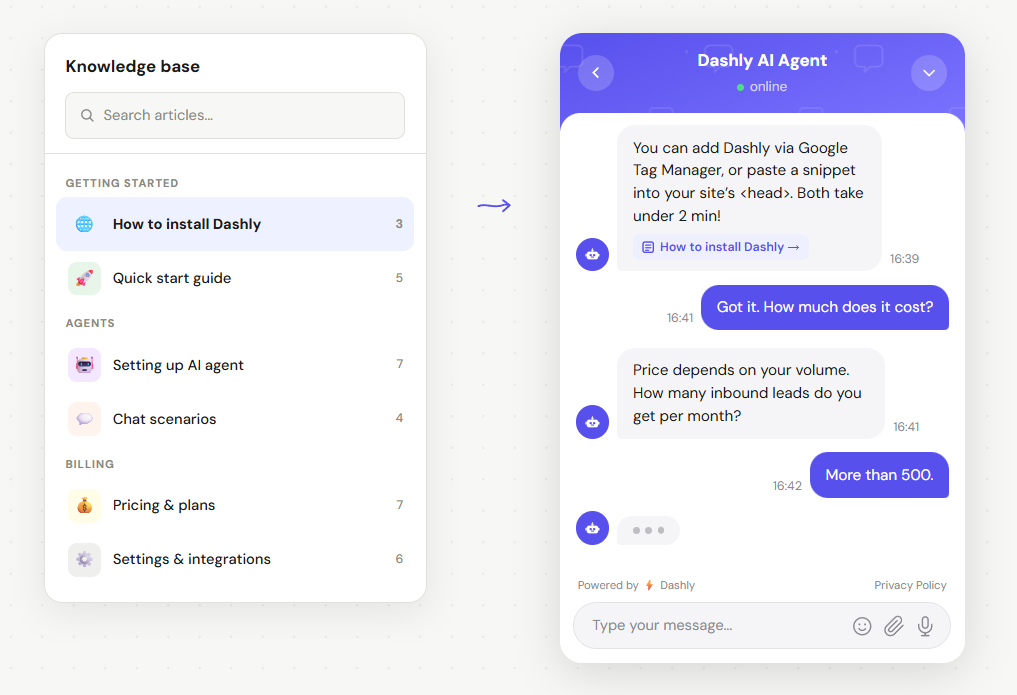
The shift from rule-based scripts to AI means the chatbot handles ambiguous questions instead of failing on them. Dashly’s AI support agent answers from your knowledge base 24/7, shows the source of each answer, and hands the conversation to a human agent when there is no answer.
Here’s an example of a conversation with an AI agent:
For a deeper look at the technology, see our guide to conversational AI for customer service.
6 reasons to use a chatbot for customer service
The business case for chatbots comes down to three numbers: resolution rate, response time, and cost per ticket. Here is what each looks like in practice.
1. 24/7 availability without headcount. 64% of consumers expect to be able to reach customer service at any time of day (CM.com). Staffing a human team for night shifts across time zones costs far more than a chatbot that never sleeps.
2. High ticket deflection rates. Tidio, a chatbot vendor, reports that AI chatbots handle 68% of customer conversations without human intervention (Tidio, 2024). In B2B SaaS, where tier-1 support is mostly billing questions, onboarding FAQs, and feature lookups, those are exactly the questions a chatbot answers well. At BizBots, a Dashly client, the AI support agent closes about 40% of chat requests without a human.
3. Faster first response. Chatbots respond in under a second. For customers mid-session in your product, a multi-minute wait is enough to trigger a drop-off. Speed alone moves CSAT.
4. Lower cost per resolution. Gartner benchmarks put the median cost per contact at $13.50 for assisted channels and $1.84 for self-service (Gartner). At 500 tickets a month, moving every ticket to self-service would save about $5,800 a month. See our breakdown of customer service automation ROI for a full cost model.
5. Consistent quality at scale. A human agent on their 40th ticket of the day answers differently than on their 5th. A chatbot delivers the same quality response on ticket 4,000 as on ticket 1.
6. Multilingual coverage without hiring. LLM-powered chatbots handle 50+ languages without separate configurations. 76% of consumers prefer purchasing products with information in their own language (CSA Research). A chatbot closes that gap without adding headcount.
8 customer service chatbot use cases (with real examples)
The strongest chatbot deployments do not try to automate everything at once. They start with use cases where volume is high and variance is low, then expand.
1. FAQ automation. The most common starting point. A self-service FAQ bot answers password resets, billing cycle questions, and feature documentation requests automatically. HelloSugar deployed an AI bot to handle tier-1 queries and automated 66% of all support interactions, saving $14,000 per month in agent costs (Zendesk, 2023).
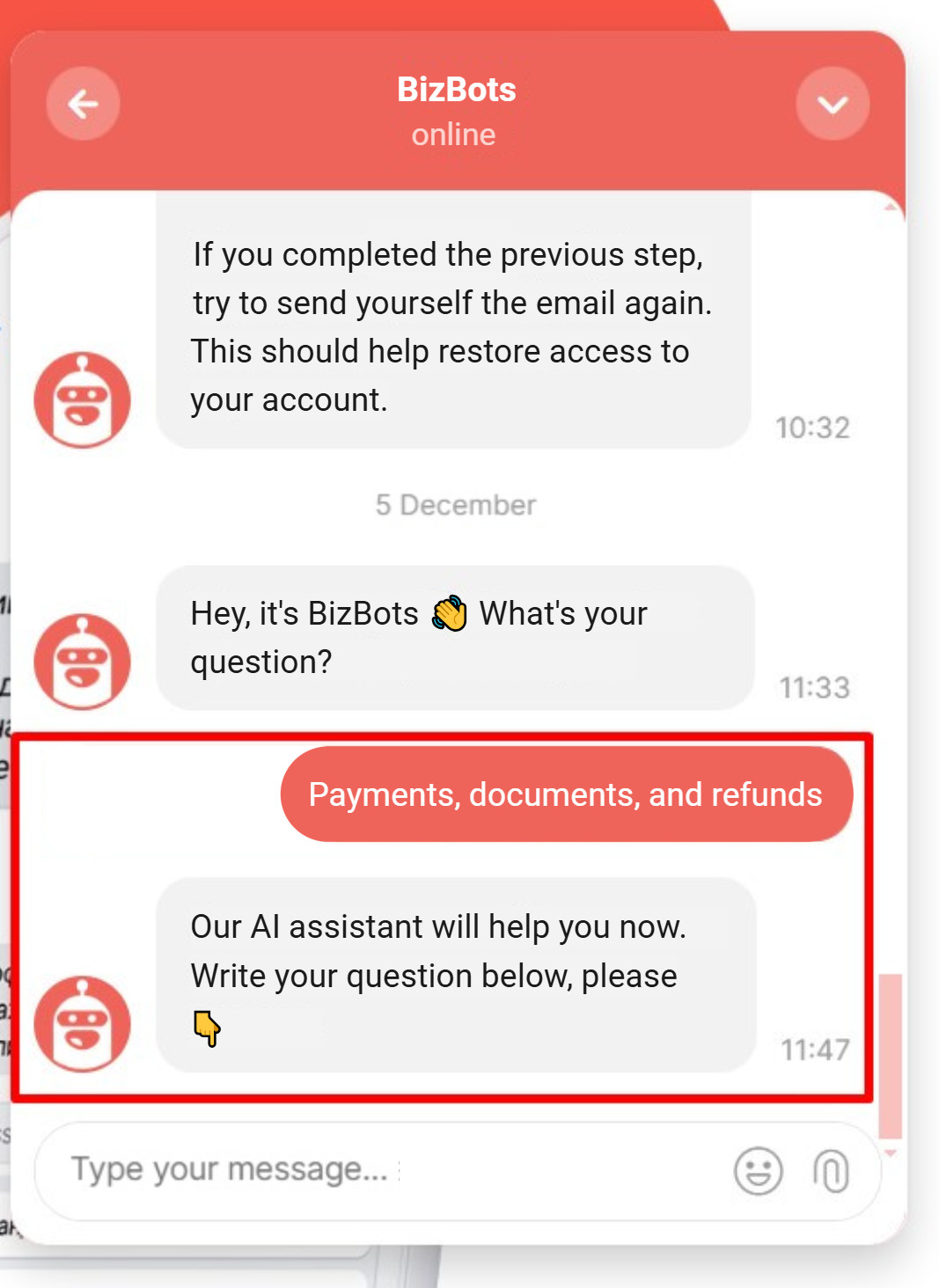
Here’s an AI agent handling specific FAQs related to payments:
2. Onboarding guidance. B2B SaaS customers who do not activate in the first 7 days are significantly more likely to churn before converting to paid. A chatbot that proactively guides users through initial setup reduces time-to-value without scaling the onboarding team. “You have not connected your CRM yet, here is how” is a one-message intervention that moves activation rates.
3. Order and account status. For subscription businesses, “When does my trial end?” and “What is included in my plan?” account for a large share of total support volume. A chatbot connected to your billing system resolves both without touching your queue.
4. Escalation routing. Not every chatbot task is resolution. Smart escalation, routing a frustrated enterprise customer directly to their account manager rather than a tier-1 queue, is a use case where chatbots reduce friction without attempting to resolve. The Lush cosmetics team automated escalation routing and saved 360 agent hours per month (Zendesk, 2023).
5. Lead qualification. A customer service chatbot on your pricing or features pages drives lead capture by qualifying visitor intent in real time. “Are you evaluating for a team or individual use?” is a two-second chatbot interaction. The same information takes 15 minutes to gather via email.
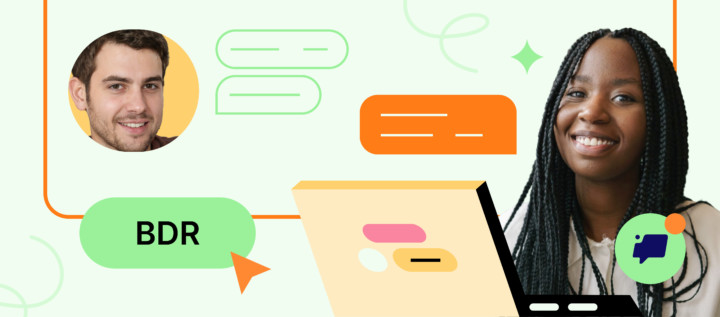
In Dashly, this is split between two AI agents. When a support conversation turns into a buying question, the AI support agent hands it to Dashly’s AI SDR agent with the full context, and the AI SDR qualifies the visitor and books the meeting:
Step 1: Engagement
Step 2: Qualification
Step 3: Booking
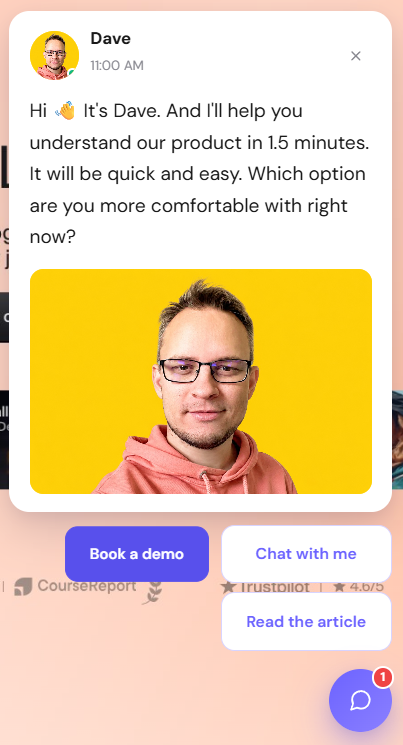
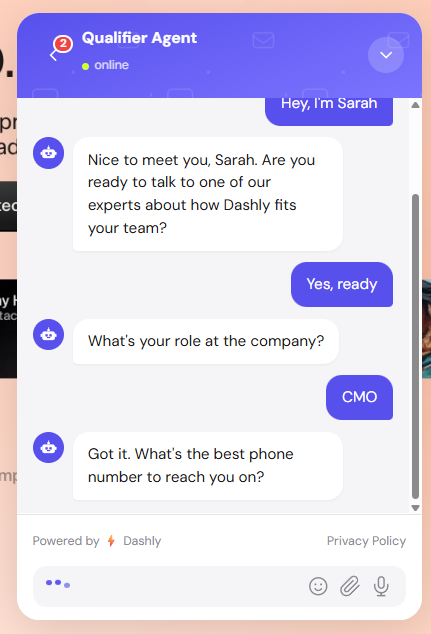
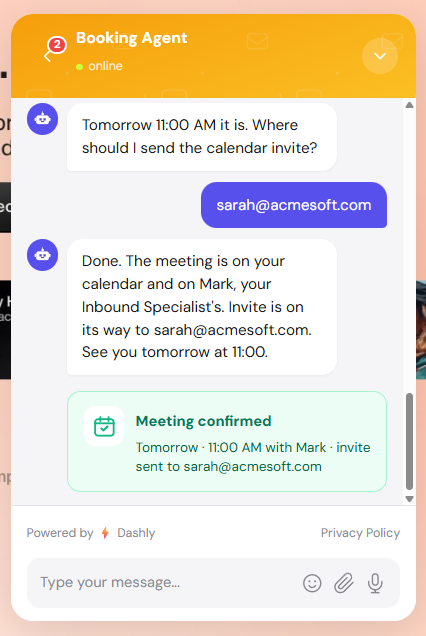
6. Proactive outreach. Instead of waiting for customers to ask, chatbots use proactive messaging triggered by user behavior. A user who visits the cancellation page three times in a week gets an automated message about pause options or usage data. This drives measurable retention when implemented with the right escalation to a human.
7. Multilingual support. A single LLM-powered chatbot covers Spanish, French, and German without separate configurations. Language detection is automatic; the customer experience is native.
8. After-hours triage. Tickets that arrive at 11pm do not wait until morning. They get triaged, categorized, and answered, or escalated to an on-call engineer if severity warrants. When the team arrives in the morning, the overnight queue is already processed.
For a broader view of automated customer service examples across industries, see our roundup of real deployments.
Or talk about your specific case with us 👇
What to look for in a customer service chatbot
Before comparing specific tools, agree on your evaluation criteria. Every vendor will claim to cover all of them. Your job is to verify.
Answers from your knowledge base, with sources. The chatbot should answer only from your help center, docs, and website, and show which article each answer came from. When an answer is wrong, you fix the article. A chatbot that answers from general knowledge can sound confident and still invent a policy you don’t have.
NLP quality. Test the bot against your actual support tickets, not demo scripts. Give it ambiguous phrasing, typos, and multi-intent messages (“I want to upgrade but also need a refund for last month”). The resolution rate in controlled demos is always higher than in production. Ask vendors for real-world deflection data from customers in your segment.
CRM and help desk integration. A chatbot that cannot read your CRM cannot personalize responses or take action. Verify whether integration is native or requires middleware. Native integrations update in real time; middleware adds latency and failure points.
Handoff protocol. How does the bot transfer to a human agent? Does it pass conversation history, customer context, and the reason for escalation? Or does it drop the customer into a blank queue? Poor handoffs destroy the experience the chatbot built. Test the escalation path before committing to a platform.
Analytics and reporting. You need deflection rate, CSAT by conversation type, and escalation triggers. Without this data, you cannot improve. Platforms that only report conversation volume are telling you how busy the bot is, not how well it is working.
Pricing model. Vendors charge per seat, per conversation, or per resolution. Model the cost at your current volume and at twice that volume. For reference, Intercom charges $0.99 per Fin outcome and Zendesk $1.50 to $2.00 per automated resolution above the plan limit (vendor pricing pages, November 2026).
Channel coverage. Does the bot deploy to your website, in-app, WhatsApp, and Telegram from one configuration? True omnichannel coverage is a requirement for B2B SaaS with a global customer base, not an add-on.
- For a side-by-side comparison, see our roundup of AI customer support tools with criteria-based scoring.
- For the chatbot category specifically, see our list of the best customer service chatbot platforms.
4 customer service chatbot examples from real companies
Each example below is drawn from a publicly available case study or press release. The ROI figures are the company’s own reported outcomes.
HelloSugar (beauty services, US). HelloSugar deployed an AI bot to handle tier-1 inquiries across a franchise network. Result: 66% of all support interactions automated, $14,000 in monthly cost savings, no additional headcount.
Lush Cosmetics (retail, global). Lush implemented AI-powered escalation routing and FAQ handling during peak product launch periods. Result: 360 agent hours saved per month, five minutes average time saved per ticket.
Klarna (fintech, Sweden). Klarna’s AI assistant handled 2.3 million conversations in its first month, the equivalent of 700 full-time human agents. Average resolution time dropped from 11 minutes to 2 minutes, with customer satisfaction scores on par with human agents (Klarna, 2024).
BizBots (marketing automation SaaS). BizBots put Dashly’s AI support agent on the first line of its website chat. Result: about 40% of chat requests closed without a human, wrong answers down from almost 50% to about 2.5% on 4,000 questions after the team fixed its knowledge base, and questions handled by human agents down from 10,000 to 6,000. CSAT went from 4.8 to 4.85 (case study).
For more real-world deployments across the B2B SaaS context, see our guide on AI in customer service examples.
How to set up a customer service chatbot: 5-step playbook
Most chatbot deployments fail not because the technology does not work, but because setup was rushed. Five steps prevent the most common failure modes.
Step 1: Map your top 20 ticket categories. Pull your last 90 days of support tickets. Group them by type. A small number of categories usually make up most of the volume. These are your chatbot’s starting use cases. Ignore edge cases for now; each one adds setup and testing time before launch.
Step 2: Choose a platform matched to your stack. Your chatbot needs to work with your help desk, CRM, and the channels your customers use. Evaluate three to five chatbot platforms against your integration requirements and test each on real questions. For B2B SaaS teams, Dashly’s AI support agent learns from your help center in minutes, answers in web chat, WhatsApp, Telegram, and email, and hands the conversation to a human agent when the knowledge base has no answer.
Step 3: Configure and train. Upload your knowledge base, map the conversation flow for your top 20 use cases, and set escalation rules. For AI-powered platforms, provide training examples: conversation samples the model uses to calibrate intent detection. Plan time to test on real questions and fix the articles behind wrong answers before you go live.
Step 4: Test escalation flows before launch. The highest-risk failure mode is a chatbot that fails silently: it does not resolve the issue but does not hand off to a human either. Test every escalation trigger. Run 50+ conversations manually. Verify that agent handoff passes full context. This step takes a day; skipping it costs customer trust.
Step 5: Measure and iterate weekly. Track deflection rate, CSAT, and escalation triggers from day one. In the first four weeks, you will find three to five conversation paths that are failing. Fix those before expanding scope. Monthly reviews after that.
For the workflow structure behind this playbook, see our guide on customer service workflows.
Conclusion
A customer service chatbot works when it answers from your docs and passes the conversation to a human agent with context. Teams that see a return mapped their highest-volume use cases first, connected their CRM, and set up escalation that doesn’t drop the customer mid-conversation. At BizBots, wrong answers fell from almost 50% to about 2.5% once the team fixed its knowledge base.
The hard part is implementation: training it on your real tickets, connecting it to your CRM and help desk, and measuring deflection and CSAT every week. Our breakdown of customer service automation ROI models the deflection-to-cost curve with real benchmarks.
If you are evaluating options for a B2B SaaS team, the right starting question is not “which chatbot is best?” It is “which chatbot fits our stack and handles our top 20 ticket types without scripted guardrails?”
FAQ
A customer service chatbot, also called a customer support chatbot, is software that automatically handles customer inquiries: answering questions, routing requests, and resolving issues without a human agent. AI chatbots understand intent, keep the conversation context, and hand complex cases to human agents.
The main benefits are 24/7 availability without extra headcount, fewer tickets reaching human agents, faster first responses, a lower cost per resolution, consistent answers at scale, and support in many languages without hiring native-language staff. At BizBots, an AI support agent closes about 40% of chat requests without a human.
A rule-based chatbot follows a fixed decision tree and only replies to exact keyword matches. An AI chatbot understands the same question phrased different ways and keeps context across several messages. Agentic AI chatbots go further: they take actions in connected systems instead of only writing replies.
For B2B SaaS, strong options are Dashly (answers from your knowledge base with sources and hands off to human agents with context), Zendesk AI agents (enterprise scale, priced per automated resolution), and Intercom Fin (strong in-app messaging). If Intercom’s pricing doesn’t fit, compare Intercom alternatives. For a longer comparison, see the best AI customer support tools.
Start by mapping your top 20 ticket categories, then choose a platform with native integration to your CRM and help desk. Set up answers for your highest-volume use cases, test escalation flows manually, and measure deflection rate and CSAT weekly for the first month.
No. Teams that frame it that way under-build escalation paths and damage customer trust. A chatbot handles the high-volume, low-complexity tier of support, freeing human agents for complex and high-stakes conversations.
It depends on the pricing model: per seat, per conversation, or per resolution. Some tools have free plans with limits. As examples, Intercom charges $0.99 per Fin outcome and Zendesk $1.50 to $2.00 per automated resolution above the plan limit (vendor pricing pages, November 2026). Model the cost at your current and peak ticket volume.