Customer service automation for SaaS: a complete guide to customer support automation
 15 minutes
 16.04.2026

TL; DR: Customer service automation, also called customer support automation, is software that handles routine support tasks without a person starting each one: answering common questions, routing tickets, and sending follow-ups, so agents can focus on complex cases. For SaaS teams, the highest-value uses are an AI agent that answers from the knowledge base, automated ticket routing, and behavior-triggered onboarding messages. This guide covers how it works, what to automate first, and how to roll it out.
Whether you handle 100 or 10,000 tickets a month, automating the right parts of your customer service process frees agent hours and cuts costs. Below: what automated customer service is, where it helps, where it fails, how to start, and a real SaaS case with numbers.
What is customer service automation?
Customer service automation means using technology to handle repetitive support tasks. Automation in customer service covers AI agents, workflows, and help desk rules that take over parts of the support process; customer care automation is another name for the same thing.
It doesn’t mean removing humans from the loop entirely. Instead, it’s about building a system where digital automation tools handle the predictable, allowing your team to focus on complex or emotional issues that truly need a human touch.
Think: password resets, tracking info, feature walk-throughs, and FAQs, all automated. But refund disputes, angry customers, or sensitive feedback? That still goes to your team.
Even simple tools, like an automated reply for tickets received outside working hours, are a start. Add a workflow that categorizes tickets by topic, urgency, and source, and routing stops being manual. Add AI for recurring questions, and agents stop answering them.
And automation isn’t exclusive to large companies. Startups benefit massively when they can resolve common questions at scale without growing their team. It helps ensure small teams stay focused on strategic customer interactions, not overwhelmed by volume.
Why SaaS teams are automating customer service in 2026
SaaS companies move fast. Your support systems should too.
In 2026, customers expect fast, personal answers at any volume, and growing SaaS teams use automation to deliver them.
More SaaS companies are discovering that their human team can’t be “on” 24/7. Yet customers expect instant help. With global competition and rising expectations for customer experience, waiting hours for a reply just doesn’t fly.
Automation covers the hours your team is offline. It ensures that someone, or something, is always ready to help, even if your team is offline. It provides scale without needing a 100-person support department.
Let’s break down the core reasons customer service automation is on every SaaS roadmap in 2026:
The pressure to scale without growing headcount
Hiring more agents isn’t always the answer. Budgets are tight, churn is real, and onboarding takes time. But the number of customer queries keeps growing.
With automation, the same team resolves more tickets: requests reach the right person, resolution time drops, and agents don’t burn out.
The shift from reactive to proactive support
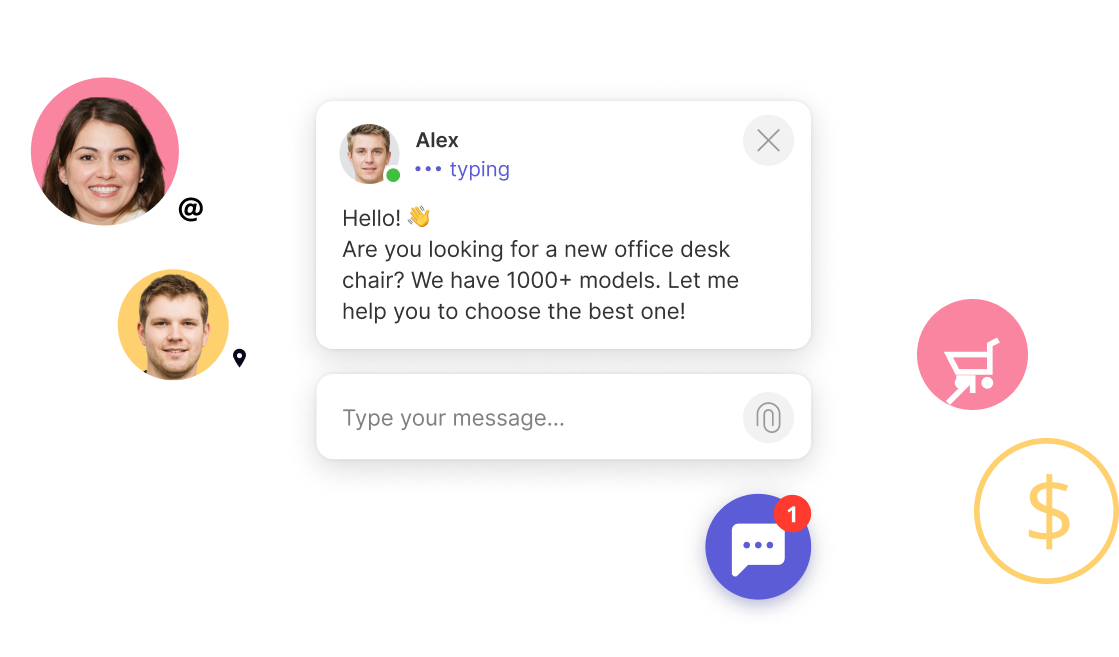
The right automation tools also prevent tickets.
Things like onboarding flows, feature education, and contextual tooltips can reduce incoming tickets before they ever hit your queue. You’re still providing service, just in a smarter, proactive way.
For example, showing a pop-up explaining a new dashboard to customers during their first login can prevent dozens of confused questions. That’s proactive automation, saving time before a ticket ever exists.
Customer service and team burnout
No one signs up for support just to reset passwords all day.
When customer service reps are stuck answering the same five questions 300 times a week, they get frustrated, and so do your customers. Automation removes that burden, so your agents can handle high-value conversations where they can really help.
Automation also helps morale. Agents who spend their day on meaningful tickets stay longer, enjoy the job more, and give customers a better experience.
Automated customer service vs. manual support: what’s the real difference?
Let’s break it down. What does automated customer service actually change?
At its simplest, the difference is this: humans handle exceptions, and software handles the rest.

Imagine two support teams:
- One spends most of its day doing repetitive work: answering the same five questions, manually tagging tickets, and sorting inboxes.
- The other has these tasks handled by automation, freeing agents to solve complex, interesting, and high-priority problems.
The first team gets overwhelmed fast. The second scales calmly.
Tasks you can automate vs. what requires a human
Here’s where automation of customer service works best:
- Order status checks
- Password resets
- Feature tutorials
- FAQ responses
- Routing tickets based on issue type
- Auto-tagging and ticket classification
- Collecting customer feedback at the end of conversations
And here’s what still needs a person:
- Billing disputes
- Bug reports that require investigation
- Customers expressing frustration or cancellation
- Sensitive conversations with emotional nuance
Automation takes the repetitive work, and your team handles the rest.
Measuring response time and accuracy across models
Speed is obvious: an AI agent responds in seconds. AI and smart routing also make answers more accurate.
Automated customer interactions are consistent. They don’t miss details. They don’t forget SLAs. And when done well, they boost customer experience across the board.
AI agents can surface the right article faster than a junior agent. They can escalate when a sentiment score hits negative. They follow the same process every time.
When you reduce your first reply time from hours to seconds, your CSAT improves, your backlog drops, and your team finally breathes.
Advantages of automated customer service for support teams
Automated customer service saves money and keeps a support team productive as demand grows. For SaaS companies, this often means answering before customers ask, using product data, at any hour.
Whether you’re managing a lean support team or preparing for high-growth scaling, automation offers tangible benefits across cost, speed, and agent well-being.
Faster response and reduced ticket queues
When customers contact your support team, they don’t want to wait. With customer service automation, you can cut wait times. Instant answers from an AI agent, automated routing of tickets, and quick access to help center articles mean customers get what they need, faster.
Customers wait less, and agents deal with fewer frustrated customers.
Automating routing and triage also declutters the queue. Instead of every issue landing in your team’s inbox, only complex or emotional queries do. The rest? Handled by the system.
In a real case, BizBots, a B2B SaaS company, put an AI support agent on the first line of chat: questions reaching human agents fell from 10,000 to 6,000, and the team didn’t hire the two agents it had planned (case study).
Lower cost per resolution
Manual support is expensive. You’re paying for every minute of agent time. But with automation, one tool can handle thousands of interactions without additional cost.
Let’s say you automate just 20% of your incoming tickets. Multiply those tickets by your cost per ticket to see the monthly saving (our ROI guide has the formula), and you may be able to delay hiring while you scale.
This matters most for startups and growing SaaS teams that need to stay lean without sacrificing customer experience.
More empowered agents and better customer experience
When you remove repetitive tasks from an agent’s workload, like password resets or plan explanations, that time goes to harder work.
They can build relationships with customers, solve hard problems, and learn the product in depth. Customers get better answers as a result.
Automated customer service doesn’t replace your team. It strengthens it.
Consistency in communication
When multiple agents handle tickets manually, the tone, depth, or accuracy of answers can vary, especially if they’re new, tired, or switching between tools.
Customer service automation solves that. Your AI agent delivers the same approved answer every time, regardless of who’s online. It pulls directly from your help content or saved replies, so answers stay consistent in web chat, email, and messengers.
For support managers, this means fewer follow-ups, better customer experience, and easier compliance with brand tone and legal guidelines.
Top use cases of customer service automation in SaaS
Automation works best when it’s targeted. Start with these tasks:
Let’s look at the most common automation use cases that support teams in SaaS rely on.
Handling repetitive queries

If you’re getting the same “Where’s my invoice?” or “How do I reset my password?” messages over and over, it’s time to automate.
An AI agent and self-service flows can resolve these instantly. That’s time saved for the customer, and fewer tickets for your agents.
AI-powered ticket routing and tagging
When a support request comes in, automation can tag and sort it based on keywords, topic, or even customer sentiment. This means faster routing to the right agent, and quicker resolutions.
It also helps with reporting, so your team has better insights into what customers are struggling with.
Escalation to live agents at the right moment
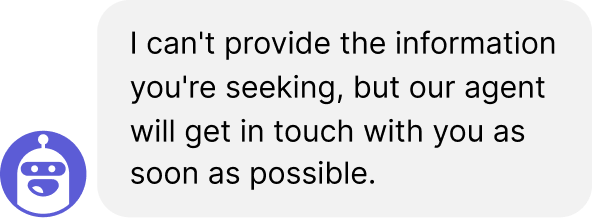
A good setup knows when to bring in a person.
Modern automation systems can detect frustration, failed responses, or repeated requests. When these signals appear, they instantly escalate the ticket or live chat to a real agent, no manual handoff required.
The customer doesn’t notice the switch: they don’t have to ask to “speak to a human” or explain their issue twice. And for your support team, it ensures they focus only on cases that need a person.
Building smart knowledge bases
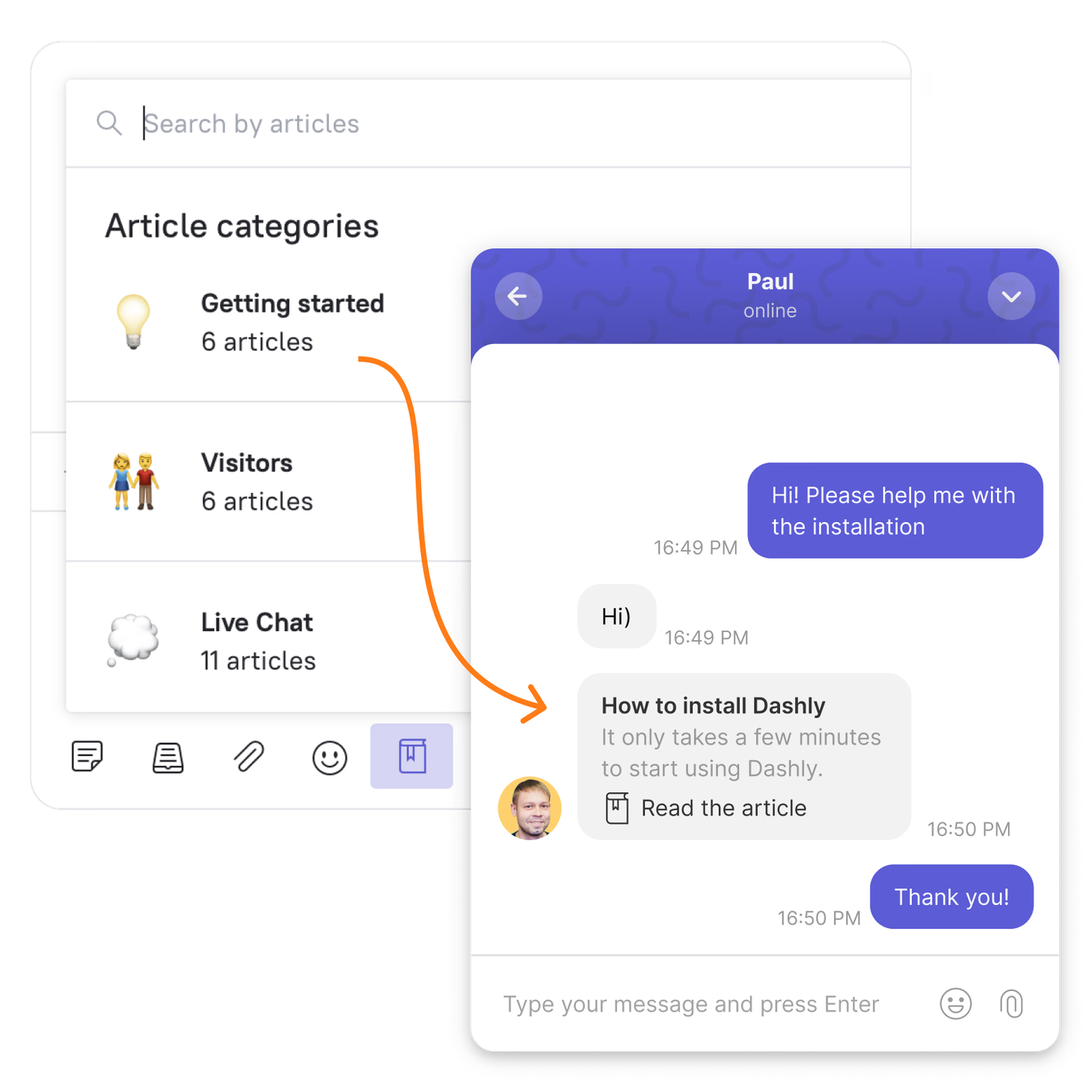
Automating customer education doesn’t stop at chat. When you connect help center content to your AI agent or support form, customers can get answers before they submit a ticket.
Better still, AI-powered systems can suggest articles dynamically based on what the customer is typing, reducing ticket volume even further.
For more flows like these, with the trigger, action, and result for each, see our 13 automated customer service examples.

Common challenges when automating customer service
Of course, automation isn’t a magic switch. When done wrong, it can frustrate customers, confuse agents, and cause more problems than it solves.
Here are the most common pitfalls support managers face when implementing customer service automation, and how to avoid them.
Over-automation and loss of personal touch in customer service
Automating everything backfires. When an automated system doesn’t understand the issue and there’s no way to reach a person, customers stop trusting support.
The solution is hybrid automation: AI for routine tasks, humans for nuance. Set clear escalation paths. Give customers an “I want to talk to someone” option early.
Poor training data leading to wrong answers
Your automation is only as smart as the material you feed it. If your help docs are outdated or inconsistent, even the best AI won’t perform well.
Before deploying automation software, invest time in cleaning up your internal knowledge base. Make sure answers are accurate, up to date, and written in a way that a machine can interpret and use.
Lack of integration with existing tools
An AI agent that doesn’t sync with your CRM, ticketing system, or analytics dashboard creates double work.
Before you choose any automation solution, double-check its integrations. The best tools slot into your existing stack without heavy dev time.
The top 3 mistakes in automation implementation
- Launching too fast without testing real workflows
- Skipping agent training (your team needs to understand the system too)
- Ignoring customer feedback post-automation rollout
How to automate customer service: step-by-step guide
Roll automation out in small steps. The full playbook is in our guide on how to automate customer support; here is the short version:
- Map your workflows. List every request type and sort it into urgent, repetitive, and complex.
- Spot the automation gaps. Look for high-volume, low-complexity requests such as password resets, status checks, and how-to questions.
- Choose your tools. An AI agent that answers from your knowledge base, help desk workflows for routing, and CRM integrations.
- Pilot, test, and measure. Start with one use case and track resolution rate, time saved, and CSAT. Our guide to customer service automation ROI shows how to turn those numbers into a business case.
- Scale gradually. Add escalation rules, improve fallback answers, and expand to the next request type once the first one works.
Customer service automation software: what to look for
Customer service automation solutions differ in how much they answer on their own and how well they fit your stack. Check four things before you choose:
- Integration with your existing systems: CRM, ticketing, website chat, and reporting.
- Control without engineers: conditional logic, response templates, a human override, and setup your support team can own.
- Performance tracking: resolution rate, drop-off points, escalation trends, and CSAT after automation.
- Return on cost: tickets avoided, agent hours saved, and the change in first response time.
Three common starting points: Dashly for B2B SaaS teams that want an AI support agent on the first line, Intercom for product-led teams that combine support with in-app messaging, and Zendesk for large teams that need deep routing rules and SLAs. For 12 tools with features and current pricing, see our list of the best customer service automation software.
AI agents in customer service automation
Scripted bots follow rules and break when a customer phrases a question in an unexpected way. AI agents read the question in the customer’s own words and answer from your help center and docs. When the knowledge base has no answer, a good AI agent doesn’t guess: it hands the conversation to a human agent with the full history.
AI also helps the human team directly: it summarizes long threads before a handoff, suggests articles to send, and drafts replies for agents to edit. Quality depends on the content behind it, so keep the knowledge base current and review the conversations the AI hands over. For a deeper look at how this works, see our guide to conversational AI for customer service.
How Dashly’s AI support agent automates first-line support
Dashly’s AI support agent is built for B2B SaaS support teams. It covers the first line of support, so human agents get only the conversations that need them.
- Learns from your website and help center in minutes, with no developer needed
- Answers 24/7 in web chat, WhatsApp, Telegram, and email
- Shows the source of each answer, so you see which article to fix when an answer is wrong
- Hands the conversation to a human agent when the knowledge base has no answer, instead of making one up
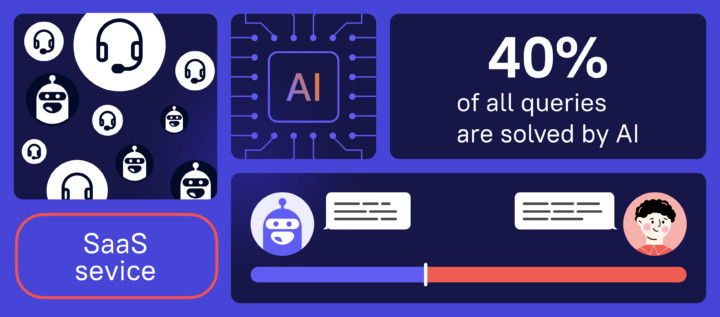
At BizBots, the AI support agent closes about 40% of chat requests without a human. Wrong answers fell from almost 50% to about 2.5% on 4,000 questions after the team fixed its knowledge base, and questions handled by human agents dropped from 10,000 to 6,000. The agent answers within a minute, around the clock.
Conclusion: what customer service automation means for your team
Customer service automation makes your team faster and more focused; it doesn’t replace it. For SaaS companies, it means fewer repeat tickets, faster answers, and room to grow without hiring for the same questions.
You don’t need to automate everything. Start where it matters most: repetitive questions, slow first replies, and overloaded inboxes. Measure the result, then expand.
FAQ: customer service automation
Customer service automation, also called customer support automation, is software that handles routine support tasks without a person starting each one: answering common questions, routing incoming tickets, sending follow-ups, and escalating complex issues to the right team. In SaaS, the most common setups are an AI support agent, help desk automation rules, and behavior-triggered messages.
The four main types are: (1) AI agents that answer questions from your knowledge base 24/7; (2) ticket routing rules that assign requests to the right agent or team; (3) triggered messages sent based on customer behavior, such as signup or inactivity; (4) self-service tools such as knowledge bases. Most platforms combine all four.
It depends on your use case. Dashly suits B2B SaaS teams that want an AI support agent answering in web chat, WhatsApp, Telegram, and email. Zendesk offers the deepest automation rules and reporting for large teams. Intercom fits product-led SaaS with in-app messaging. Compare tools on AI quality, CRM integration, and total cost at your ticket volume.
Simple automation, such as routing rules and canned responses, can go live quickly. An AI agent learns from your help center in minutes, but testing it on real questions and fixing the articles behind wrong answers takes longer. Content quality is usually the bottleneck: the more structured your help docs, the faster you get reliable answers.
The three most common risks: (1) over-automation, where complex or sensitive questions get stuck with no path to a person; (2) outdated knowledge, where the AI answers from old docs; (3) an impersonal tone that hurts satisfaction. All three are solvable with clear escalation rules, a monthly content review, and tone guidelines for automated messages.
Track five metrics: (1) automated resolution rate, the share of tickets closed without a human; (2) first response time for automated and manual tickets; (3) CSAT for automated and human-handled conversations; (4) escalation rate; (5) deflection rate, the share of customers who solve their issue through self-service. Review them monthly. See our guide to customer service automation ROI.
An AI agent answering repeat questions from the knowledge base, ticket routing by topic, automatic status updates, CSAT surveys after each conversation, and onboarding messages triggered by customer actions. See all 13 automated customer service examples.
Dashly, Intercom, Zendesk, Freshdesk, and Help Scout are the most common choices, with Gorgias for ecommerce and Tidio or Crisp for small teams. Compare features and current prices in our list of the best customer service automation software.
Most customer service automation solutions combine four technologies: AI agents built on large language models that answer questions, rule-based workflows that route and tag tickets, a knowledge base for self-service, and integrations with your CRM and help desk.